Quickly formats large USB drives to FAT32, bypassing size limits with a straightforward interface
Quickly formats large USB drives to FAT32, bypassing size limits with a straightforward interface
Vote (6 votes)
Program license Free
Developer Ridgecrop
Version 1.07
Works under Windows
Vote
(6 votes)
Developer
Ridgecrop
Works under
Windows
Program license
Free
Version
1.07
Pros
- Removes 32GB FAT32 formatting limit in Windows
- Fast, reliable operation
- No installation or registry changes required
- Works on a broad range of Windows versions
- Highly compatible output for use with many devices
Cons
- Command-line interface may deter less technical users
- Cannot bypass FAT32’s 4GB per-file size limitation
- No official graphical interface
Efficient utility for formatting large drives to FAT32 on Windows
Overview
fat32format is a lightweight, free tool designed for Windows users who need to format large USB drives or external hard drives with the FAT32 file system. While Windows’ built-in formatting tool limits FAT32 partitions to 32GB, fat32format allows users to bypass this restriction, making it possible to use FAT32 on drives up to 2TB.
Key Features
Bypasses Windows FAT32 Size Limits: Windows Disk Management doesn’t allow the creation of FAT32 partitions larger than 32GB. fat32format overcomes this limit, letting users format drives between 32GB and 2TB, which is especially useful for flash drives, SD cards, and external drives intended for compatibility with devices like game consoles, smart TVs, and legacy systems.
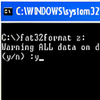
Simple Command-Line Tool: fat32format operates as a standalone executable, with a straightforward command-line interface. This makes it lightweight, portable, and easy to use—no installation required, and no changes to the system registry.
Fast and Efficient: Formatting with fat32format is significantly faster than using traditional methods. The tool accomplishes the task quickly, even on larger drives, and has a strong reputation for reliability.
High Compatibility: Drives formatted with fat32format are recognized across a wide range of operating systems and devices, including Windows, macOS, Linux, and many media devices.
Performance
Performance is one of fat32format’s strongest suits. The formatting process is both rapid and stable, with the resulting drive structure fully standard-compliant. The utility enables optimal cluster size selection based on drive capacity, ensuring efficient space allocation and broad compatibility for file transfer between different platforms.
Ease of Use
Although fat32format is command-line based, usage is straightforward. Basic knowledge of the Windows command prompt is helpful, but the syntax is simple enough for most users. Just specify the drive letter and desired cluster size if needed. There are also several community-made graphical interfaces (GUI frontends) for those less comfortable with the command line.
Limitations
FAT32 itself has inherent limitations: files cannot exceed 4GB in size and the partition size cannot exceed 2TB. These are constraints of the file system itself, not the tool. Users needing to store large files might be better served by exFAT or NTFS.
Compatibility
fat32format works on all recent versions of Windows, including Windows XP, Vista, 7, 8, 8.1, 10, and 11. Its wide compatibility and lack of installation requirements make it a practical solution for quick FAT32 formatting needs.
Pros
- Removes 32GB FAT32 formatting limit in Windows
- Fast, reliable operation
- No installation or registry changes required
- Works on a broad range of Windows versions
- Highly compatible output for use with many devices
Cons
- Command-line interface may deter less technical users
- Cannot bypass FAT32’s 4GB per-file size limitation
- No official graphical interface